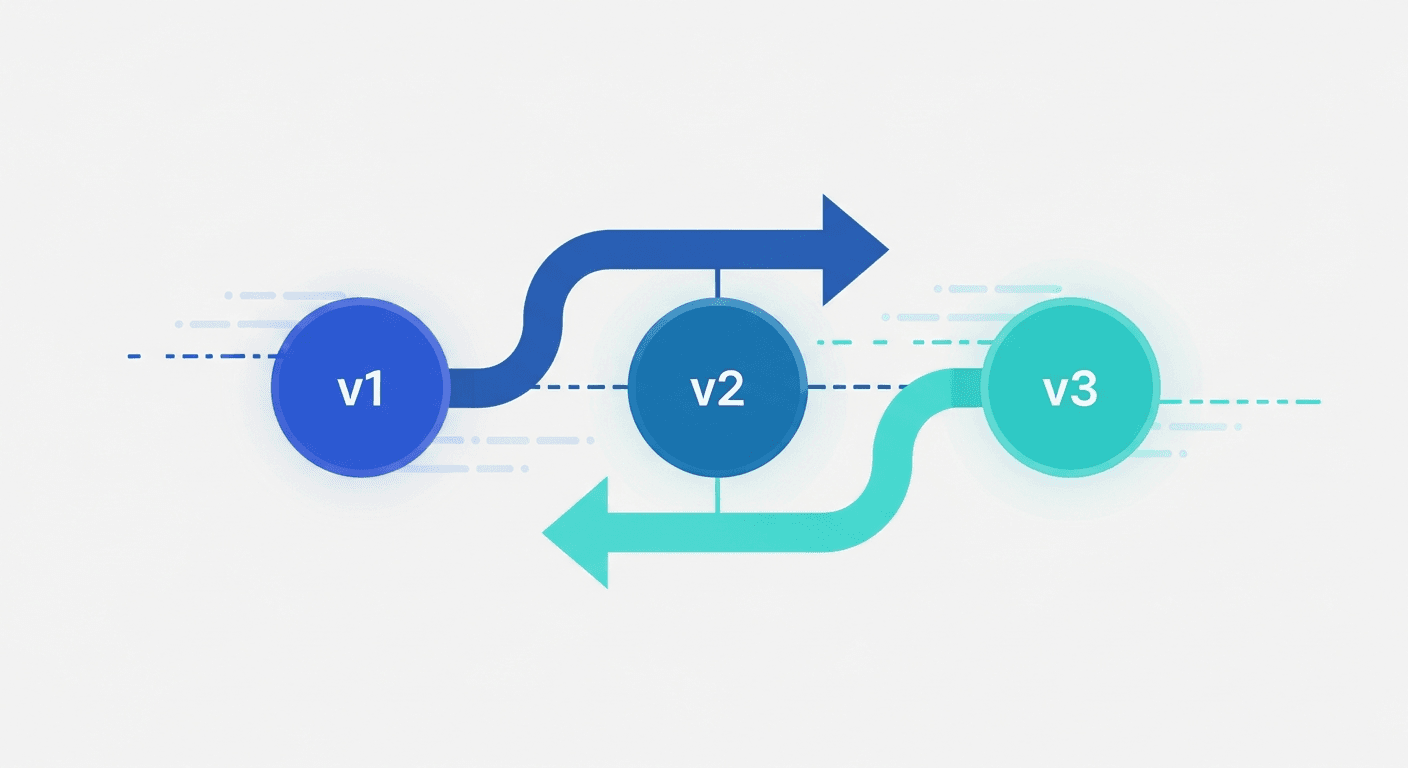
Prompt versioning is the practice of saving every iteration of an AI prompt as a distinct, labeled record so you can track what changed, compare outputs across versions, roll back to a better-performing version, and build a clear history of how a prompt evolved. It applies the core logic of software version control — tracking change over time — to the prompt templates and system prompts you use with large language models (LLMs) like ChatGPT, Claude, and Gemini.
Without versioning, each edit to a prompt overwrites the last. You lose context, cannot identify what caused quality to improve or degrade, and have no mechanism to recover a version that worked. With versioning, every saved state of a prompt becomes a reproducible artifact you can inspect, compare, and restore.
For a full picture of how versioning fits into a broader system, see the complete guide to prompt management.
What Is the Purpose of Versioning?
Versioning exists to solve a universal problem in knowledge work: change is inevitable, but not every change is an improvement. The purpose of versioning — in software, in documents, and in AI prompts — is to make change reversible and auditable.
More specifically, versioning serves four purposes:
- Reversibility: If a change degrades quality, you can restore the version that worked.
- Auditability: You have a record of what changed, when, who made the change, and why.
- Reproducibility: A specific version produces a known, documented result. You can re-run it exactly.
- Collaboration: Multiple people can work on the same asset without silently overwriting each other's changes.
For AI prompts, these purposes are especially important because LLM outputs are probabilistic. A prompt that produces excellent results one week may produce inconsistent results the next — due to a subtle wording change, a model update, or context drift. Without version history, diagnosing the cause is nearly impossible. With versioning, you have a structured record of every state the prompt has been in and can isolate exactly what changed.
What Are the 5 Types of Prompting?
Understanding prompt versioning requires understanding what you are versioning. The five primary types of prompting that practitioners work with — and iterate on — are:
1. Zero-Shot Prompting
Zero-shot prompting gives the model a task with no examples. The instruction alone drives the output: "Summarize the following article in three bullet points." Zero-shot prompts are quick to write but often require more iteration to tune phrasing, tone, and output format. They benefit greatly from versioning because the difference between a mediocre and excellent zero-shot prompt is often a single carefully chosen phrase.
2. Few-Shot Prompting
Few-shot prompting includes two to five examples in the prompt itself to show the model the pattern you want it to follow. The examples become part of the prompt text. As you iterate, you may swap examples, reorder them, or adjust the format — and each of those changes is a version worth tracking.
3. Chain-of-Thought Prompting
Chain-of-thought prompting instructs the model to reason step-by-step before arriving at an answer. Phrases like "Think through this step by step" or "Let's work through this methodically" trigger more deliberate reasoning. Iterating on chain-of-thought prompts often involves testing different framing for the reasoning instruction, and version history makes it easy to compare which framing produces more accurate results.
4. Role / Persona Prompting
Role prompting assigns the model a persona: "You are a senior copywriter at a B2B SaaS company." The role definition shapes tone, vocabulary, and framing. Persona prompts are among the most iterated — teams refine the role description extensively to match brand voice or professional context. Each refinement is a version.
5. System Prompting
System prompting uses the model's system prompt field (available in API integrations and platforms like Claude Projects) to set persistent instructions that apply to every message in a session. System prompts are typically the most important prompts to version because they govern the entire behavior of an AI assistant or agent. A change to a system prompt affects every downstream output, making rollback capability essential.
All five types benefit from structured versioning. The more consequential the prompt — the more people use it, the more it drives real outputs — the more critical versioning becomes.
Why Prompt Versioning Matters
The Effort Behind a Good Prompt Is Non-Trivial
Writing a prompt that reliably produces excellent output takes work. A high-quality prompt for a specific use case typically goes through 10 to 30 iterations: adjusting instructions, adding output format specifications, testing edge cases, embedding examples. That investment has real value.
Without versioning, that investment is fragile. The next edit can erase the best version you had. You may not notice the degradation immediately. By the time you do, you may not remember what the prompt said two weeks ago.
Versioning is how you protect that investment. Every iteration becomes an asset, not a throwaway draft.
No Rollback Means No Safety Net
A prompt regression — the prompt equivalent of a software bug introduced by a code change — is when a modification degrades output quality. Regressions are common and often subtle: the output is still plausible, just slightly less accurate, less on-brand, or missing a key element.
Without a version history, recovering from a regression requires guessing. You edit the prompt trying to get back to where it was, spending time recreating what you had before. With versioning, recovery is a one-click restore.
Teams Cannot Collaborate Without Version History
When two people edit a shared prompt with no version control, one person's improvements will overwrite the other's. The most recent save wins. There is no merge, no conflict resolution, no audit trail.
On a team using a prompt management system, versioning creates the accountability layer: who changed this prompt, when, and what changed. That record is the foundation of safe collaboration on shared assets.
Model Updates Can Change Prompt Behavior
LLM providers update their models regularly. A prompt optimized for GPT-4o may behave differently after an OpenAI model update, even if the prompt text is unchanged. Similarly, Claude Sonnet 4.6 may respond differently to the same prompt than Sonnet 3.5 did.
Prompt versioning lets you tie version records to model versions, so when behavior changes unexpectedly you can investigate whether the prompt changed, the model changed, or both. Without that record, diagnosing model-driven regressions is nearly impossible.
What a Prompt Version Record Contains
A well-structured prompt version entry captures:
- Version identifier: A sequential number (v1, v2, v3) or semantic label (v1.2.0 for minor changes, v2.0.0 for structural rewrites).
- Timestamp: When the version was saved.
- Author: Who made the change — critical on teams.
- Change summary: A short note explaining what changed and why. "Removed bullet list format at client request; switched to prose paragraph output."
- The full prompt text: Every word of the prompt at that point in time — system prompt, user template, few-shot examples, and any chaining instructions.
- Model and parameters: Which model this version was written for and any relevant settings (temperature, max tokens).
- Test results or performance notes: Output samples, evaluation scores, or qualitative observations about how this version behaves compared to the previous one.
This structure makes each version a reproducible artifact. If a stakeholder asks why outputs changed last Tuesday, you can point to a specific version record.
Prompt Versioning vs. Software Version Control
Prompt versioning borrows from software version control tools like Git, but the two differ in important ways.
What they share:
- Both track changes over time with a history log.
- Both enable rollback to an earlier state.
- Both support branching to experiment without disrupting the main version.
- Both create accountability through author and timestamp records.
Key differences:
Testing is non-deterministic. With code, a function either passes its test or it does not. With prompts, the same input to an LLM produces different outputs on different runs. Automated regression detection requires evaluation pipelines — LLM-as-judge scoring, human review, or output comparison frameworks — rather than simple pass/fail unit tests.
The runtime itself changes. A prompt that worked on one model version may behave differently after the model is updated. Code does not typically behave differently because the compiler was updated. This means prompt versioning must track model version alongside prompt version.
Evaluation is subjective. Code tests pass or fail. Prompt quality requires judgment — does this output sound like our brand? Is this summary accurate? Is this code idiomatic? Human or LLM-based evaluation is the only reliable signal.
Structure is flat, not hierarchical. Code has modules, functions, imports, and dependencies. Prompts are text. Diff tools designed for code changes often produce less meaningful output when applied to natural language prompt changes.
These differences mean that while prompt version control can use Git as a storage layer, a purpose-built prompt management system with native versioning provides a much better workflow in practice.
How Prompt Versioning Helps in Enterprise Use
Enterprise use is where prompt versioning moves from useful to essential. The stakes are higher, the teams are larger, and the failure modes scale with adoption.
Audit Trails for Compliance
In regulated industries — healthcare, financial services, legal, insurance — knowing exactly what prompt produced which output may be a legal requirement. If your LLM-assisted system produces a medical summary, a compliance report, or a customer-facing financial recommendation, regulators may ask you to demonstrate what instructions the model was operating under at the time.
Prompt versioning creates that audit trail. You can point to a specific version record that shows the exact prompt text, the model, and when it was in production — the same way software teams use Git to show what code was deployed at a given point in time.
Consistent AI Outputs Across Large Teams
When hundreds of employees each maintain private prompt collections in personal AI accounts, the organization gets inconsistent outputs. The same task — drafting a contract clause, writing a customer response, analyzing data — produces different quality results depending on whose prompts are used.
A shared prompt management system with versioning standardizes quality. The best version of each prompt is deployed to everyone. When that version is updated, everyone gets the update. There is no version fragmentation across the team.
Safe Prompt Deployment Workflows
Enterprise prompt management tools typically support approval workflows around prompt updates: a change is drafted, reviewed, and then promoted to production. This mirrors software CI/CD pipelines. The version history shows exactly what is in production, what is pending review, and what has been retired.
This workflow directly reduces risk. A prompt change that would degrade outputs for thousands of users can be caught in review rather than deployed silently.
Knowledge Retention When Employees Leave
Prompts built in personal AI accounts disappear when an employee leaves. Months of refinement — system prompts for an AI agent, few-shot examples tuned for a specific client, chain-of-thought templates for complex analysis — becomes inaccessible the moment the login is deactivated.
A centralized system with version history means prompts belong to the organization, not the individual. The version record also preserves the reasoning behind each iteration, so institutional knowledge does not depend on memory or informal documentation.
Rollback After Model Updates
Enterprise AI deployments are often affected by upstream model updates from providers. When a model update changes output behavior, teams need to know whether the degradation came from the model or from recent prompt changes. Version history answers that question immediately.
Prompt Update Meaning and Update Workflows
A prompt update is any modification to an existing prompt — a word change, a structural rewrite, a new example added, a formatting instruction removed. The term is simple, but the workflow around prompt updates is where most teams have no system at all.
Without a managed update workflow:
- Changes are made ad hoc with no documentation.
- There is no review step before a change affects all users.
- Previous versions are not preserved.
- There is no way to know if prompt updates improved or degraded output quality.
A managed prompt update workflow looks like this:
- Draft: A new version is written as a draft, separate from the live version.
- Test: The draft is tested against representative inputs and compared to the current version.
- Review: A designated reviewer approves the change.
- Deploy: The new version becomes the active version; the previous version is archived, not deleted.
- Monitor: Output quality is tracked after deployment to catch regressions.
This workflow is the difference between a prompting system that compounds in quality over time and one that drifts unpredictably.
Prompt Monitoring
Prompt monitoring is the practice of tracking the quality and behavior of prompts in production over time. It is the operational complement to versioning: versioning tells you what the prompt was; monitoring tells you how it is performing.
Key dimensions of prompt monitoring include:
- Output quality scores: Human ratings or automated LLM-as-judge evaluations of a sample of outputs.
- Consistency tracking: How much does output vary across runs of the same prompt? High variance may indicate a prompt that needs more explicit constraints.
- Regression detection: Did recent changes correlate with quality drops? Combining version timestamps with quality metrics answers this.
- Model drift monitoring: When a provider updates a model, does output quality change for your existing prompts?
- Usage patterns: Which prompts are used most? Which have not been used in months and may be stale?
Serious prompt management tools expose monitoring dashboards that connect version history to quality metrics. Without this connection, versioning tells you what changed but not whether the change mattered.
For a full treatment of this topic, see prompt monitoring: how to track AI prompt performance in production.
Prompt Versioning Tools
The right tool for prompt versioning depends on team size, technical comfort, and how central prompts are to your workflows.
File-Based Approach (Individuals, Developers)
The simplest approach is to save prompt versions as text files with naming conventions:
customer-reply-v1.txt
customer-reply-v2-shorter.txt
customer-reply-v3-active-voice.txt
Stored in a Git repository, commit messages serve as a change log. This works for individual developers comfortable with Git, but it has meaningful friction: no UI, no side-by-side diff, no output tracking, and no access for non-technical teammates.
Open-Source Prompt Management
Open-source prompt management tools offer self-hosted options for teams with technical resources who want data control or need to meet compliance requirements that preclude SaaS tooling.
Key considerations for open-source prompt management solutions:
- Self-hosting requires infrastructure setup and maintenance.
- Some solutions integrate directly with LLM APIs for evaluation and monitoring.
- Access control and audit logging vary significantly across projects.
- The tradeoff is data sovereignty and extensibility against setup overhead.
Teams evaluating open-source prompt management typically have a technical ML or engineering function that can own the deployment and configuration.
Dedicated Prompt Management Systems (Teams)
Purpose-built prompt management tools provide the full versioning workflow in a UI accessible to non-technical users:
- Automatic version numbering on every save.
- Side-by-side diff view between any two versions.
- Change notes and author attribution on each version.
- Approval workflows for reviewing prompt updates before they go live.
- Integration with output logs so you can see what each version produced.
- Sharing and role-based access for teams.
For teams doing serious prompt work across ChatGPT, Claude, Gemini, or internal LLM deployments, a dedicated prompt management tool eliminates the friction of file-based approaches while adding collaboration features that Git alone cannot provide.
For a detailed comparison, see best prompt management tools that support versioning natively, and the guide to prompt libraries for teams if your primary need is sharing rather than versioning.
Prompt Versioning Best Practices
| Practice | Why It Matters |
|---|---|
| Version every production prompt from day one | Retroactive versioning is painful; the cost is zero upfront |
| Write change notes, not just version numbers | "v4 — removed examples, switched to JSON output" beats "v4" for future debugging |
| Tag each version with the model it was tested on | A regression may be the model, not the prompt; you need both data points to know |
| Keep all versions; delete nothing | Storage is cheap; an unrecoverable version is expensive |
| Run a quarterly prompt audit | Catches model drift before it silently degrades production outputs |
| Use a staged deployment workflow | Draft → Review → Deploy prevents untested prompt changes going live to all users |
How to Implement Prompt Versioning
Regardless of the tool, implementing prompt versioning follows the same logical steps:
Step 1: Identify Your High-Value Prompts
Not every prompt needs versioning. Start with prompts that are used regularly, shared across the team, or drive consequential outputs. A system prompt for a customer-facing AI assistant is a high-priority candidate. A one-off experimental prompt is not.
Step 2: Establish a Naming and Labeling Convention
Decide on a version labeling scheme before you start. Options include:
- Sequential: v1, v2, v3 — simple and clear.
- Semantic versioning: v1.0.0 (major.minor.patch) — useful if you want to distinguish structural changes (major) from small tweaks (patch).
- Date-based: 2026-03-15 — useful for tying versions to deployment dates.
Whatever scheme you choose, use it consistently.
Step 3: Record Change Summaries
Every version should have a brief note explaining what changed and why. One to two sentences is enough: "Added explicit instruction to avoid passive voice. Previous version was producing passive constructions in about 30% of outputs." These notes are the institutional memory that makes version history useful months later.
Step 4: Tag Versions with Model Information
Record which model each version was written and tested against. When model updates cause behavior changes, this record is essential for diagnosing what happened.
Step 5: Connect Versioning to Output Tracking
If possible, connect your version records to output samples or quality scores. Even a simple log of representative outputs for each version creates a feedback loop that makes future iteration faster and more intentional.
Step 6: Define Your Deployment Workflow
Decide how prompt updates move from draft to production. For individual use, this can be as simple as a "publish" action that marks a version as active. For teams, this may involve a review step.
Do AI Prompts Change Over Time?
Yes — and that is the fundamental reason prompt versioning exists. Prompts change for several reasons:
- Performance refinement: You iterate to improve output quality.
- Model updates: Provider updates change how models respond, requiring prompt adjustments.
- Task evolution: The underlying task changes — a new product, a different tone, an updated compliance requirement.
- New knowledge: You learn something about effective prompting — a technique, a format, a framing — and apply it to existing prompts.
The question is not whether prompts change, but whether you have a system for managing those changes deliberately rather than accidentally.
FAQ
What is prompt versioning?
Prompt versioning is the practice of saving each iteration of an AI prompt as a labeled, timestamped record so you can track changes, compare versions, roll back to better-performing iterations, and audit what prompt produced which output. It applies version control principles — historically used in software development — to AI prompts and system prompts.
What are the 5 types of prompting?
The five primary types of prompting are: (1) zero-shot prompting, which gives the model a task with no examples; (2) few-shot prompting, which includes 2–5 examples in the prompt; (3) chain-of-thought prompting, which instructs the model to reason step-by-step; (4) role / persona prompting, which assigns the model a specific role or persona; and (5) system prompting, which uses the system prompt field to set persistent behavioral instructions. All five types benefit from versioning when iterated on seriously.
How can prompt versioning help in enterprise use?
In enterprise contexts, prompt versioning creates audit trails for compliance, standardizes output quality across large teams, enables safe deployment workflows with approval steps before prompt updates go live, preserves institutional knowledge when employees leave, and provides a mechanism to diagnose and reverse regressions after model updates. It is the difference between uncontrolled prompt sprawl and a managed prompting system.
What is the purpose of versioning?
The purpose of versioning is to make change reversible and auditable. It ensures that every state of an asset — code, document, or AI prompt — is preserved so you can restore a previous version, understand exactly what changed and when, reproduce a specific state, and collaborate safely with others. For AI prompts, versioning is especially valuable because LLM outputs are non-deterministic and regressions are often subtle and hard to detect without a change history.
What is the difference between prompt versioning and prompt management?
Prompt management is the full system for saving, organizing, sharing, and governing AI prompts. Prompt versioning is one component of prompt management — specifically the tracking of changes over time. You can have prompt management without versioning (a folder of saved prompts with no history), but versioning without some form of prompt management is uncommon. The two work together: management provides the library and access layer; versioning provides the change history and rollback capability.
Can I use Git for prompt versioning?
Yes. Git works as a versioning layer for prompt files, and commit messages serve as a change log. The limitations are significant for teams: no purpose-built UI, no side-by-side output comparison, no non-technical user access, and no built-in evaluation or monitoring. Git is a reasonable starting point for developers already using it, but most teams doing serious prompt work eventually move to a dedicated prompt management system.
What is a prompt regression?
A prompt regression occurs when a change to a prompt causes output quality to decrease — the prompt equivalent of a bug introduced by a code change. Regressions are harder to catch with prompts than with code because LLM outputs are non-deterministic. Detecting regressions reliably requires evaluation pipelines (LLM-as-judge scoring, human review, or output comparison) rather than pass/fail tests. Versioning is the prerequisite for regression detection: you need a specific previous version to compare against.
How many prompt versions should I keep?
Keep all versions while a prompt is actively developed. Storage is cheap; the cost of losing a version that was performing well is high. Once a prompt is stable and rarely changes, you may archive older versions, but there is rarely a reason to delete them. A full version history is most valuable precisely when you need it — usually to diagnose an unexpected regression after a model update or a team edit.
What is open-source prompt management?
Open-source prompt management refers to self-hosted, publicly available tools for building and operating a prompt library with versioning, sharing, and governance features. These tools give teams data sovereignty — prompts are stored on their own infrastructure, not a third-party SaaS — at the cost of setup, maintenance, and configuration overhead. They are most suitable for teams with engineering resources who have specific compliance or data residency requirements.
If you want a practical place to implement prompt versioning today, PromptAnthology gives you version history, side-by-side comparisons, team sharing, and a browser extension that works inside ChatGPT, Claude, Gemini, and any other AI tool — without changing your existing workflow.